Let’s Have a Mouse Party!

It’s a holiday in the U.S. and many folks are home today, so rather than talking about enterprise software, I thought I’d give you one more app. Meet Mouse Party! It lets you watch videos with friends via the web, but it doesn’t need a web server.
Mouse Party is very simple. It’s an open-sourced MacOS App. You download and install it and double-click the icon, which is a mouse in a party hat. When you open it, it looks like this:
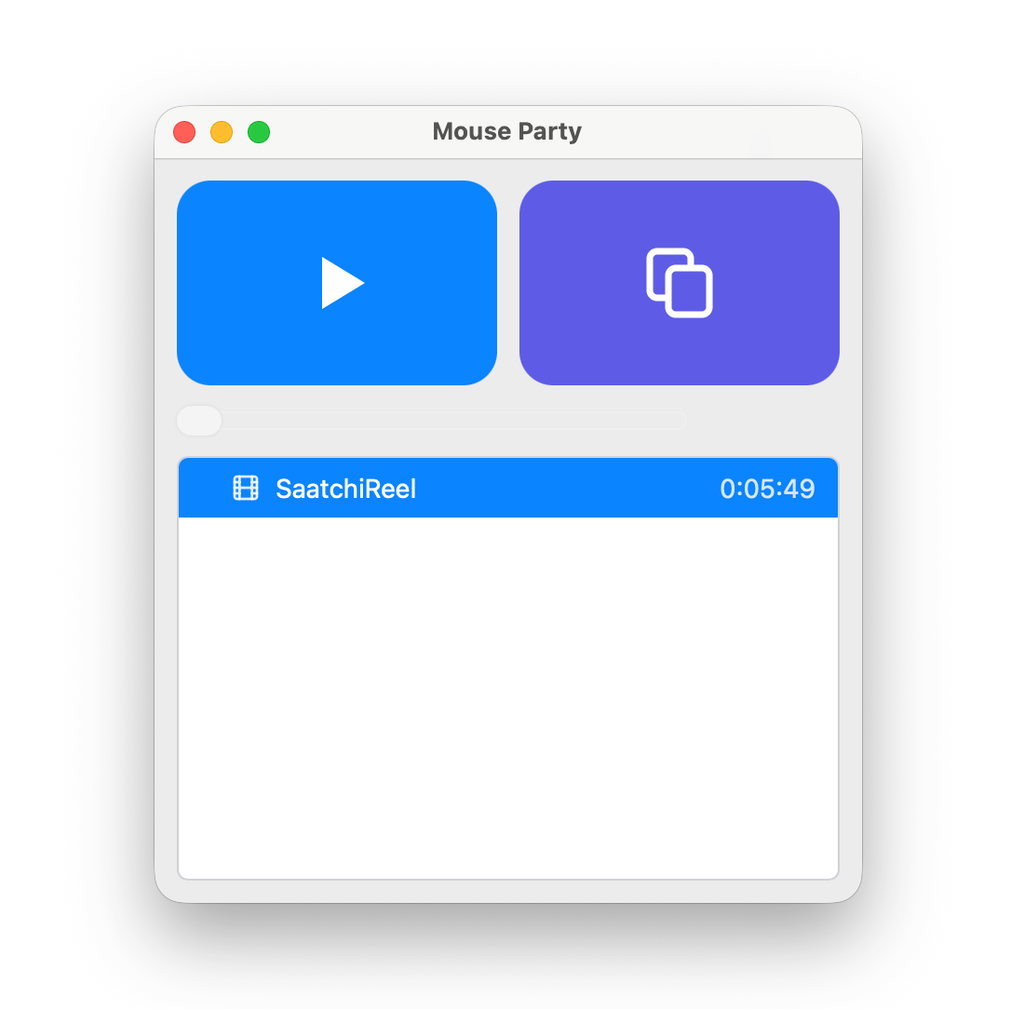
- Open the app.
- Drag a video onto it. Then it’ll make you a link you can copy and share.
- Hit play. Everyone with the link can watch the video and chat.
When you quit the app, the server is gone, and the chat is gone.
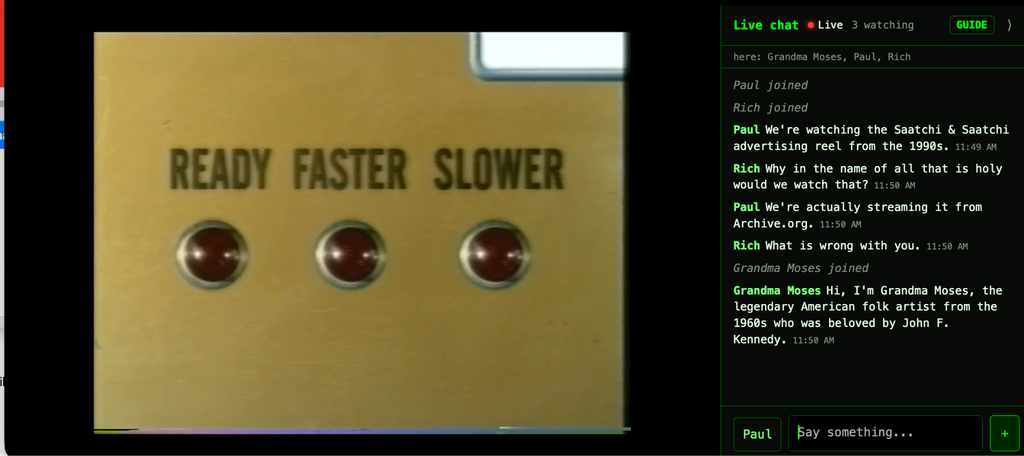
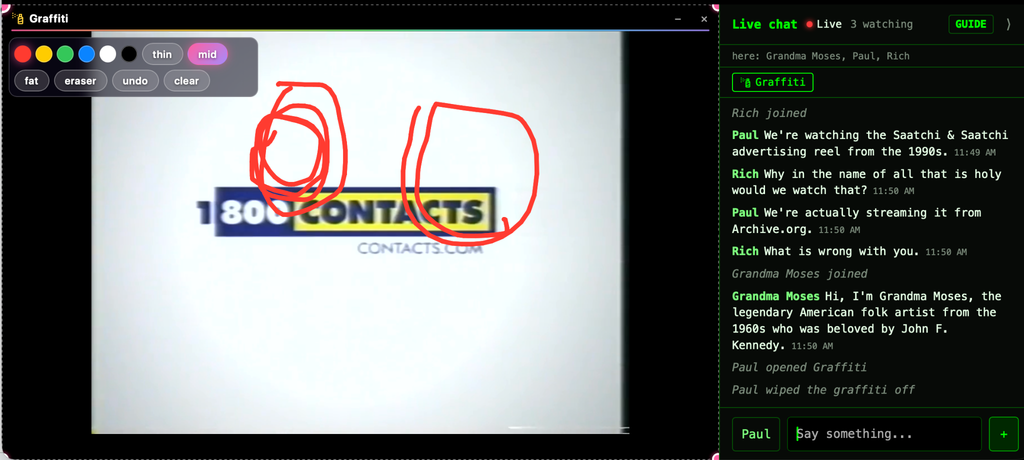
You can add all kinds of videos as well as MP3s, FLACs, Word docs, PDFs, ePubs, and more kinds of files. It also has fun little mini apps that let you share documents and work together. You can do graffiti, or play word games.
Why Mouse Party?
Why did I build this? The male loneliness epidemic. A little over a year ago, a friend of mine in San Francisco told me about an open-source app called Owncast. Owncast lets you set up a web server for video streaming. People can visit and watch the video on the website and talk via the chat interface. According to my pal, it was really helping everyone stay connected.
I set it up, too, and played some movies, but my friends all complained about the interface. I thought it was great, but they whined about how the chat works, the mobile app, and the video player. They wanted me to move it to Discord, then figure out a way to show video inside of WhatsApp.
Ultimately I realized the problem: My friends are not chill San Francisco people with open-source vibes. My friends are annoying East Coast product manager tech scrooges. So I looked around for replacements. There are other tools like Watch Party, but everything was hard to tweak to the exacting requirements of my very special peers.
So I built my own. At first, it was janky and required me to be online and monitor a bunch of command-line scripts; it broke all the time and everyone kept complaining. But over time, I fixed a lot of bugs, until they started complaining about other things that were not my software. I know it sounds terrible, but I do love them.
The app had one problem, though: In order to watch a movie, you had to stream the video to a web server. Setting up web servers is hard and costs money. I felt dumb. I’d built another piece of software that was only for nerds—one that requires you to be a systems administrator if you want to set it up. So we watched movies with it, but I figured that was that.
Then I learned about the Cloudflare “quick tunnel” tool and…that solved it. You can open a secure, random link right into your desktop, with no login, for free, and when you break the connection (quit the app, restart your computer, whatever) that link vanishes forever. It’s something Cloudflare created to make it easier for nerds to do a particular class of programming-and-testing nerd activities, but there’s no real reason it couldn’t work for everyone. The links are weird-looking to normies, but they’re also free and disposable.
I remade Mouse Party from a command-line app into a desktop application for Mac that sets up a web server from your desktop or laptop and lets people “tunnel” to it through Cloudflare. Now you can serve web video without setting up a web server. It uses the same technology as video calls, just for a different purpose. You can probably stream to four or five people using your home internet, or ten or more if you have a faster connection (After a certain number, set in preferences, it tells people they can’t get in.)
Throw a Great Mouse Party
Want to host your own Mouse Party? A few tips:
- Download a few short things to show while people gather. Old commercials, music videos, and so forth. Archive.org has all of it.
- Drop the link in the chat with no explanation. Surprise people and let them complain about new things for a while. They will ask why you can’t show Netflix videos. They will want you to make it like YouTube. They will post profanity. Let them do it. Before long, you’ll be hosting every week, because if you give humans a bright glowing thing to gather around, they can’t help themselves. We’ve been doing it for hundreds of thousands of years.
- Optimize for complaining. Terrible movies work better than good ones. Retro horror films are good, too. Depressing documentaries. Familiar stuff. Things that get people rambling are better for this kind of set-up than wonderful art. Even really boring stuff is good conversation fodder. Remember, people will literally stare at a fire for an hour. We need less stimulation, not more.
- Watching old TV shows, like MTV’s 120 Minutes, is another good way to get everyone rambling.
- You don’t have to download things. Just find video on Archive.org and paste the URL in using the “Add URL” menu items. I made it smart about Archive.org URLs.
Ultimately, Mouse Party has been good for the group chats. It gives us something to do. It’s a way to introduce people from one chat to another. In my case, it’s a lot of dads who appreciate being able to talk world-historical amounts of trash after they’ve begged their teens to go to sleep. People ask me to kick off Mouse Parties pretty often, and I’m trying to convince them they can host, too.
I did want to prove to myself that you can make, share, and create things on the web without setting up a web server. I don’t think this will replace Hulu or WhatsApp or Google Docs. It’s not a perfect approach for the software of the future, because you don’t want people running random web servers off their desktops for anyone. But there’s a lot of prior art around how to lock down web serving and keep hosted things running in sandboxes, away from any of your other files, and that’s applied here, too.
That said, this really is designed for use with friends. You are inviting people to your digital house to hang. For example, there are no moderation tools at all for the chat. If someone sucks, you can’t kick them out; you have to quit the app and end the party. You need to upgrade your friends, not your apps.
Concluding Thoughts
I find the future of software absolutely fascinating because no one has any idea what’s coming next—and anyone who tells you they do is absolutely high on their own token supply. At work, we build a lot of large, durable platforms with hundreds or many thousands of users. At home, I like to keep things a little more ephemeral. In both cases, everything is evolving at ridiculous speeds. But as ever, users will decide what they like, in their own time.
That’s it. It’s all open source, and I hope you enjoy it and do with it what you will. Unfortunately, it’s a couple hundred megabytes—that’s because it uses a lot of open-source code for handling all the different video file types. I learned a lot making it. I’d enjoy hearing your thoughts on how your own Mouse Party goes. Feel free to invite me to one, or send me a screenshot in strictest confidence!